Sick of manually removing the UTM tracking parameters from links you copy and paste in Chrome? Here’s a nifty little trick to automate the process.
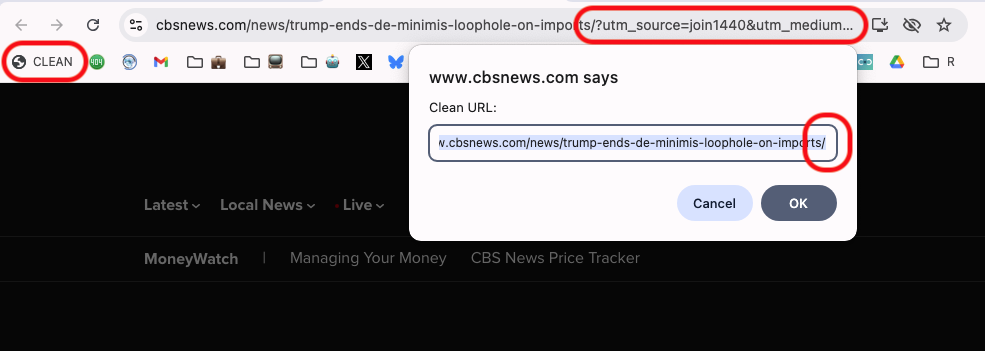
In your Bookmarks bar, click “Add Page” and enter the Name (e.g., “CLEAN”). Then paste the following code into the URL:
javascript:(function(){let u=new URL(location.href);['utm_placement','user_id','utm_source','utm_medium','utm_campaign','utm_term','utm_content'].forEach(k=>u.searchParams.delete(k));prompt('Clean URL:', u.toString());})();
This will copy the URL and strip out the UTM parameters and present a prompt of the cleaned URL for you to copy and paste into messages, emails, or social media without the tracking data.
Pretty cool, eh?